
The HyperX QuadCast is a strong pick for gamers, streamers, podcasters, and anyone else recording voice content. It includes four recording patterns to suit different setups, and sound control is handled easily through a built-in control panel accessible right from the USB connection.
This review covers the QuadCast’s features, specs, performance, pros, cons, and the best alternatives if it’s not the right fit.
Quick verdict: a strong all-in-one USB mic for gamers, streamers, and podcasters who want four switchable polar patterns and an easy gain dial. Skip it if you’re on Mac OS 10.6 or earlier, need console compatibility, or want a stand included in the box.
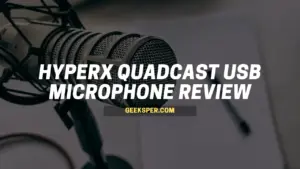
HyperX QuadCast USB Microphone Review
The QuadCast is a well-rounded dynamic cardioid microphone with four different recording patterns: stereo, cardioid, omnidirectional, and bidirectional.
This range of patterns lets gamers and streamers choose whichever setup fits their specific recording needs. Sound can be controlled through the built-in control panel, accessed simply by plugging the mic into a USB port.
The microphone is compatible with Windows 7, 8, and 10, Mac OS X v10.6 to 10.11, and Linux kernels 3.13 and above. It’s also priced more affordably than many comparable microphones, while still delivering strong sound quality.
For more on how this dynamic cardioid design works, see our guide on what a dynamic microphone is.
Features of the HyperX QuadCast
The QuadCast offers four recording patterns: stereo, cardioid, omnidirectional, and bidirectional, making it easy to switch depending on what you’re recording.
The control panel, accessible through the USB connection, lets you adjust volume directly. For more on what that adjustment actually does to your recording, see our guide on what is gain on a microphone.
- Includes a headphone jack and adapter
- Frequency response between 20Hz and 20,000Hz
- Signal-to-noise ratio above 50dB
- Sturdy metal frame built to last for years
Pros and Cons
Pros
- Compatible with Windows and Linux kernels 3.13 and above
- More affordable than comparable microphones offering similar features
- Strong sound quality
Cons
- Not compatible with Mac OS 10.6 and earlier
- Not compatible with consoles, since it’s a USB microphone
- Doesn’t include a stand
Alternatives to the HyperX QuadCast
If the QuadCast isn’t quite right for your setup, a few alternatives worth considering include:
- Audio-Technica AT2020, a cardioid condenser studio microphone
- Rode NT1-A, a large-diaphragm condenser studio microphone
- Blue Snowball, another popular USB microphone option
If you’re shopping specifically for gaming or voice chat, our guide to best mic for Discord covers more options worth comparing.
FAQ
What is the HyperX QuadCast USB microphone?
The QuadCast is a USB microphone designed to deliver strong, versatile sound capture for gaming, streaming, and podcasting, with four switchable recording patterns.
Can I use this for gaming, streaming, podcasting, and more?
Yes. The QuadCast works well across all of these use cases, offering enough flexibility that most users won’t run into features they don’t actually need.
What are the four recording modes of this microphone?
The four polar patterns are stereo, omnidirectional, cardioid, and bidirectional.
How does it sound compared to other microphones?
Sound quality is solid overall, definitely good enough for streaming or podcasting at this price point.
Is it easy to handle and install with the built-in control panel?
Yes. Mic sensitivity is easy to adjust using the gain dial located at the base of the QuadCast.
Conclusion
The HyperX QuadCast is a dynamic cardioid microphone with four recording modes and a genuinely easy-to-use control panel. It’s more affordable than many comparable microphones, delivers strong sound quality, and works well across Windows and Linux systems.
The tradeoff is that it doesn’t work with consoles or older Mac OS versions without additional separately purchased equipment, and it doesn’t include a stand out of the box.
Before buying, check the latest price and availability, since pricing and product availability can change over time. For more USB microphone options, see our reviews of the Fifine K669B and our guide to best USB microphones under $100.