
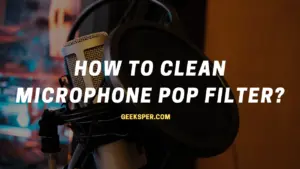
Pop filters are essential equipment for anyone recording audio regularly, helping cut down on the popping and clicking sounds that come through when pronouncing certain consonants. Cleaning one is a fairly simple process once you know the right approach for the material involved.
This guide covers what a pop filter is, what it does, and how to clean mesh, nylon, and foam versions properly.
What Is a Pop Filter?
A pop filter is a circular or oval frame containing fine mesh, typically metal, designed to reduce the popping sound that comes from pronouncing “p” sounds while singing or speaking.
These are most commonly used in recording studios, though they also show up in broadcasting and other audio applications.
Pop filters are mainly used when recording vocals for music or singing, but they’re also common in film and theatrical recordings, podcasting, and voice acting. They work by blocking the burst of air that causes popping sounds on certain consonants.
What Does a Pop Filter Do?
A pop filter reduces noise and distraction caused by fast-moving air or small movements near your mic or desk during recording.
- Especially useful when singing or recording vocals
- Helps your voice sound natural and clear
- The difference with and without a pop filter is usually easy to notice
- Many professionals won’t record without one, since it directly affects the quality of the final sound
- Typically made from one or two layers of semi-transparent material, such as foam or woven nylon, stretched over a circular frame, often paired with a clamp and flexible mounting bracket
- Mostly used indoors in studio settings, though still portable and easy to bring along if needed
For more on how pop filters work and why they matter, see our guide on what does a pop filter do.
How to Clean a Microphone Pop Filter
Cleaning a pop filter is a relatively simple process, though the right method depends on the material.
How to Clean Mesh and Nylon Pop Filters
- Remove the pop filter from the microphone stand first
- Clean it thoroughly using a disinfectant like isopropyl alcohol
- For nylon, foam, or mesh-based fabric, mild soap and detergent are generally more effective at removing buildup
- Once cleaned, exposure to heat or UV light can help eliminate any remaining microbes
The most reliable method for mesh and nylon filters is soaking them in a mild detergent and water solution, gently scrubbing with a soft brush, then rinsing with warm water and letting it air dry.
How to Clean a Foam Pop Filter
Foam pop filters can be cleaned the same way, using a mild detergent and water solution, a soft brush for gentle scrubbing, then a warm water rinse and air drying.
Isopropyl alcohol is another option for foam filters specifically. Soak the filter in the alcohol solution, gently brush it clean, rinse with warm water, and let it air dry fully before reattaching it.
FAQ
Can I use a vacuum cleaner to clean my pop filter?
No. A vacuum cleaner can damage the fabric mesh or foam material, so it’s best avoided.
Can I use a cloth to clean my pop filter?
Yes, as long as the cloth is soft enough to avoid damaging the mesh or foam. A lint-free cloth works best.
What are some other ways to clean a pop filter?
Isopropyl alcohol is a solid alternative. Soak the filter, gently scrub with a soft brush, rinse with warm water, and let it air dry completely.
Can I use water to clean my pop filter?
Yes, as long as the water isn’t too hot, since excessive heat can damage the fabric or foam. A disinfectant like isopropyl alcohol can be used alongside water for a more thorough clean.
Conclusion
Whether you’re new to recording or have been doing it for years, knowing how to properly clean a pop filter matters, since it directly affects sound quality and the lifespan of your gear. A pop filter helps prevent plosives and sibilance, keeping your voice sounding natural during vocal recordings.
For more on related microphone care and maintenance, see our guides on how to dry out a wet microphone, how to do ASMR without a mic, how to fix high pitch noise from microphone, and background noise reduction microphone.