

If you’re stuck deciding between a USB microphone and a 3.5mm microphone, you’re not alone. This is a common question, and the right answer depends on a few factors specific to your situation, including your needs, budget, and personal preference.
This guide covers what each type of microphone is, how it works, and how they compare on pros and cons.
Quick verdict: a USB microphone is the better choice if you want simple plug-and-play setup with no extra hardware required. A 3.5mm microphone is the better choice if portability and higher sound quality matter more than out-of-the-box convenience.
What Is a USB Microphone?
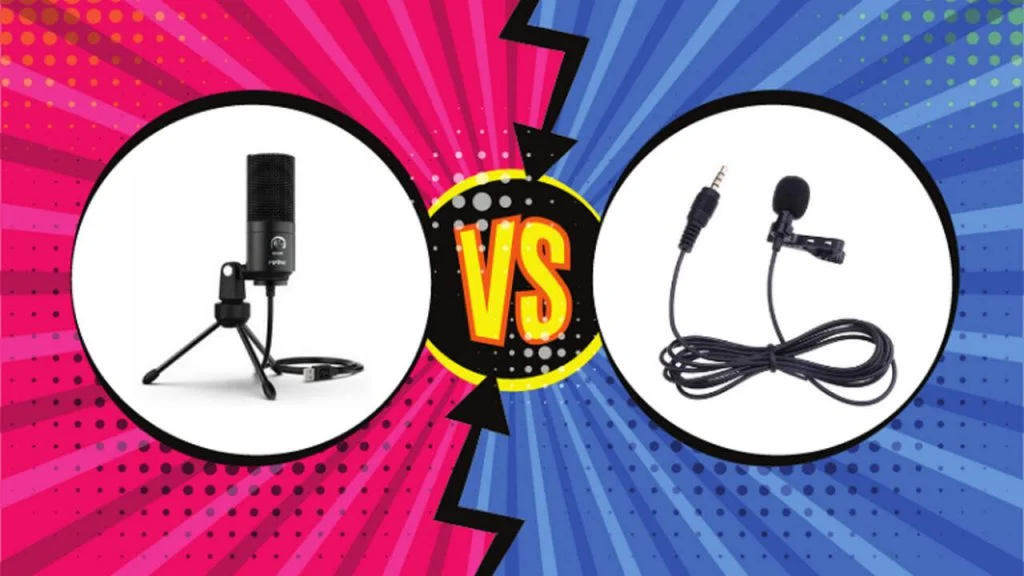
A USB microphone connects directly to your computer through a USB port. Once plugged in, it’s ready to use right away.
USB mics have become especially popular among both beginner and professional streamers, thanks to their plug-and-play simplicity and broad compatibility across different devices.
When shopping for a USB microphone, a couple of features are worth checking:
Compatibility: Confirm the mic works with your computer, though most modern USB microphones support both Windows and Mac without issue.
Polar pattern: This determines the direction a microphone picks up sound from. Most USB microphones use a cardioid pattern, capturing sound from the front while rejecting noise from the sides and rear.
Why Use a USB Microphone?
USB microphones remain a popular choice for streamers at every level, largely thanks to their plug-and-play convenience and wide device compatibility.
With a broad feature set that’s accessible even for home studios, USB microphones are the default choice for many users. Here’s a closer look at the tradeoffs.
Pros
- Easy to use
- No extra hardware needed, like an audio interface
- Convenient setup
- No special drivers required
- Broad compatibility
- Generally affordable
Cons
- Lower sound quality compared to XLR or 3.5mm microphones
- Less portable than 3.5mm microphones
- Some models have noticeable latency issues
What Is a 3.5mm Microphone?
A 3.5mm microphone plugs into a device’s headphone jack, though it typically needs an audio interface or mixer to function properly.
These microphones tend to be more portable than USB options and generally offer better sound quality, though they’re less universally compatible and often require specific drivers to work correctly.
When shopping for a 3.5mm microphone, polar pattern is again worth checking. Most 3.5mm mics also use a cardioid pattern, picking up sound from the front while rejecting noise from the sides and rear.
Why Use a 3.5mm Microphone?
3.5mm microphones are popular among podcasters, video creators, and musicians, largely because they offer strong sound quality and better portability than USB alternatives.
That said, compatibility can be more limited, and these mics often require specific drivers to work properly across different devices.
Pros
- Higher sound quality than USB microphones
- More portable than USB microphones
- Some models include a built-in audio interface
Cons
- Requires an audio interface or mixer to function
- Less compatible across devices than USB microphones
- Can have higher latency than USB alternatives
USB vs 3.5mm Microphone: Which One Is Better?
The right answer depends on your specific needs and preferences. Generally, USB microphones are more user-friendly with broader device compatibility, while 3.5mm microphones offer stronger sound quality.
If you want a beginner-friendly option with simple plug-and-play convenience, a USB microphone is the better fit. If higher sound quality and better portability matter more to you, a 3.5mm microphone is likely the stronger choice.
USB microphones remain the more popular option among beginner and professional streamers specifically, thanks to that combination of convenience and compatibility.
What’s the Main Difference?
One of the biggest differences comes down to how each device sends its signal to a computer. A 3.5mm device outputs sound directly, while a USB device includes built-in processing hardware that converts the signal before it reaches your computer.
USB microphones also tend to be among the more affordable audio devices on the market, while 3.5mm microphones are generally pricier but deliver stronger audio quality in return.
If something goes wrong with the sound on a 3.5mm mic, you can often resolve it by replacing the sound card it’s connected to. With a USB mic, that’s not an option, since the audio adapter is built directly into the device itself.
Finally, older computers may not include a USB port at all, which can make a 3.5mm microphone the only practical option in that situation.
Conclusion
Both USB and 3.5mm microphones are solid choices depending on what you need. If you travel often or record in different locations, a 3.5mm microphone’s portability makes it the stronger pick. If you want strong sound quality without worrying too much about extra hardware, a USB microphone is a great fit, and it remains the more popular choice among beginner and professional streamers thanks to its plug-and-play convenience and broad compatibility.
For more on related microphone comparisons and setups, see our guides on UHF vs VHF wireless microphone systems, Rode NTK vs K2, Sennheiser e906 vs e609, and Sennheiser e935 vs e945.