
ASMR has become one of the biggest content trends online, with videos all over YouTube, Facebook, Reddit, and SoundCloud. But what if you want to try ASMR without investing in a dedicated microphone right away?
There are still plenty of ways to record convincing ASMR sound using just an iPhone or Android phone, headphones, or even AirPods. This guide covers what ASMR is and the best methods for getting started without a dedicated mic.
What Is ASMR?
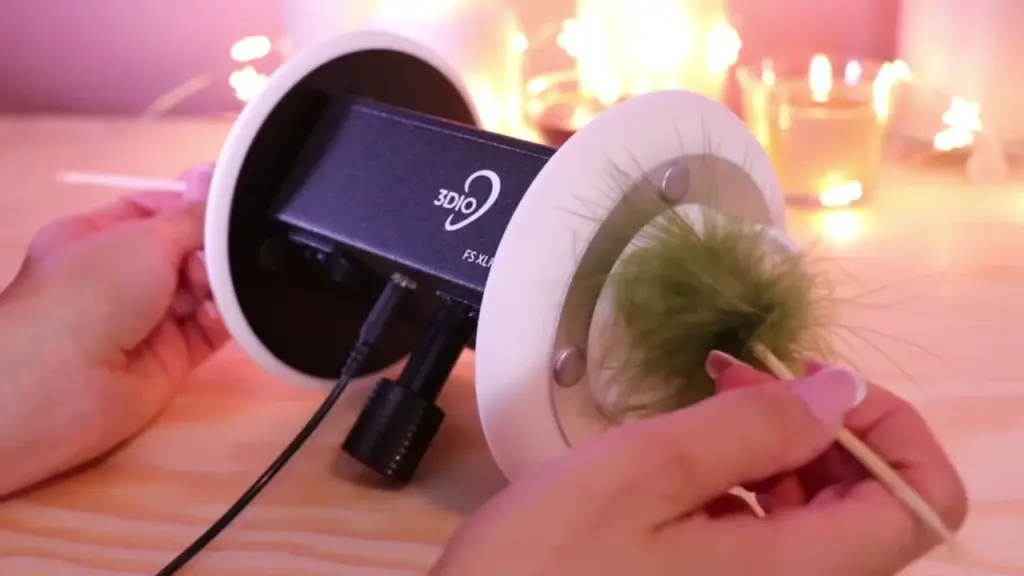
ASMR stands for Autonomous Sensory Meridian Response. It describes a pleasurable, tingling sensation typically felt across the head and scalp, often described as starting at the top of the head and moving down through the body.
In a recording context, ASMR involves capturing specific sounds with a microphone to trigger that tingling response in viewers watching the resulting video.
The ASMR content trend has grown substantially, and as a result, demand for specialized ASMR mic accessories has increased significantly over the past few years.
How to Do ASMR
ASMR responds to gentle, low-key stimuli, often triggering calming sensations through sounds like hair brushing or crinkling paper.
Some people find real relief and relaxation from these sensations, while others don’t respond to them at all. A large number of videos on YouTube are built specifically around creating this kind of relaxing sensory experience for viewers.
How to Do ASMR Without a Mic
Here are some practical tips if you want to create ASMR content without a dedicated microphone, while still using your voice as part of the experience.
Use something that makes a steady, regular sound, like tapping an object or dragging it across a surface like wood. Keep the sound consistent so viewers can follow along comfortably, even with their eyes closed, without it pulling too much attention away from your voice.
Pay attention to your surroundings. Record somewhere quiet, free from distractions or background noise.
Speak slowly and clearly, pausing briefly between words so each one comes through distinctly.
Experiment with different sounds and objects. There’s a lot of room to explore different textures and materials for ASMR content.
Don’t worry if viewers can’t fully follow along with their eyes closed. ASMR doesn’t need to be completely silent to work. You could also record audio separately and ask viewers to listen with their eyes closed, or lean into a tapping-style video format, which tends to be more accessible anyway.
How to Record ASMR With an iPhone
There are a few approaches to recording ASMR on an iPhone. You can connect an external condenser or lavalier mic directly to your device, which is the most straightforward method. That said, recording solid ASMR using just your iPhone’s built-in microphone is also entirely possible.
- Download audio editing software to your iPhone, which will help you get more polished results
- Adjust your iPhone’s settings toward more minimal recording levels
- Enable binaural or three-dimensional recording mode in your audio app if available, since this tends to produce a more realistic, immersive result
- If you’re recording both audio and video for your ASMR channel, you have two main options: use AirPods to record audio as covered in the next section, or record audio and video separately, then combine them later using editing software
How to Do ASMR With Headphones
- Use a pair of headphones compatible with your phone, generally a model with a standard 3.5mm TRS jack works well
- Install solid audio software on your device, such as Audacity
- Open your device’s sound settings. On desktop, you can typically adjust this through your control panel’s sound settings
- Set your sound input to the headphones you’re using
- Bring your ASMR sound source close to the headphone’s microphone input to record
- Set your recording and editing software to ASMR-friendly settings, with the headphone set as input
- Record the sound, repeating the process if anything doesn’t come out clean
How to Do ASMR With AirPods
Recording ASMR with AirPods can be a bit more involved, since many standard apps don’t support using AirPods as a recording source for audio or video.
- You’ll likely need a paid app for this. MoviePro and FiLMiC Pro are both solid options, available on the Apple App Store and Google Play Store respectively
- Pair your AirPods with your phone, whether Android or iPhone
- In MoviePro, tap the gear icon to access settings
- Look for recorder settings, then change the microphone input to your Bluetooth microphone
- Bring your ASMR sound source close to your AirPods and test that everything is recording correctly
FAQ
Do you need a microphone for ASMR?
Not necessarily, especially when starting out, though a dedicated mic does help. If you do invest in one, condenser mics are generally preferred over dynamic mics for ASMR, since they’re more sensitive to subtle external sounds. If your budget allows, an XLR mic is generally preferable to a USB option.
What equipment is needed for ASMR?
A high-sensitivity microphone is one of the most important pieces of equipment for ASMR specifically. Microphones generally fall into two categories: condenser, which needs a power source, and dynamic, which doesn’t.
How much does an ASMR mic setup cost?
Many ASMR creators use a dual microphone setup, often around $100 for the mics themselves, though you’ll also need an audio interface, which can run anywhere from roughly $100 to $250. Binaural setups, using two matched microphones to create a stereo image, are particularly popular in the ASMR community. For more on getting started with a budget-friendly setup, our guide to best USB microphones under $100 covers solid entry points.
Conclusion
Getting started with ASMR doesn’t require a dedicated microphone right away. Whether you use your iPhone’s built-in mic, a pair of headphones, or even AirPods, there are several practical ways to produce quality ASMR content while you decide whether to invest in dedicated gear later.
For more on related recording setups, see our guides on how to fix high pitch noise from microphone, how to record audio on iPhone, what is a lavalier microphone, and best ASMR microphone.